Notes and languages
I’ve always had a hard time taking notes in a consistent way. I’m not saying I don’t take notes. I do, but I rarely go back to them, and I usually don’t set up a system that is consistent and structured for my notes. Some people are really into taking notes, so they have a fancy system in place (e.g., Obsidian, keywords, etc.). Others almost never take notes, so when they do take notes they just open an editor or a general app and go for it. I’m somewhere in between these two extremes, so I use plan md files in NeoVim. This allows me to have snippets for a wide range of objects I’d need while taking notes, and I don’t have to leave the terminal (NeoVim), which is where I prefer to work (see my workflow here).
Three things I like to have
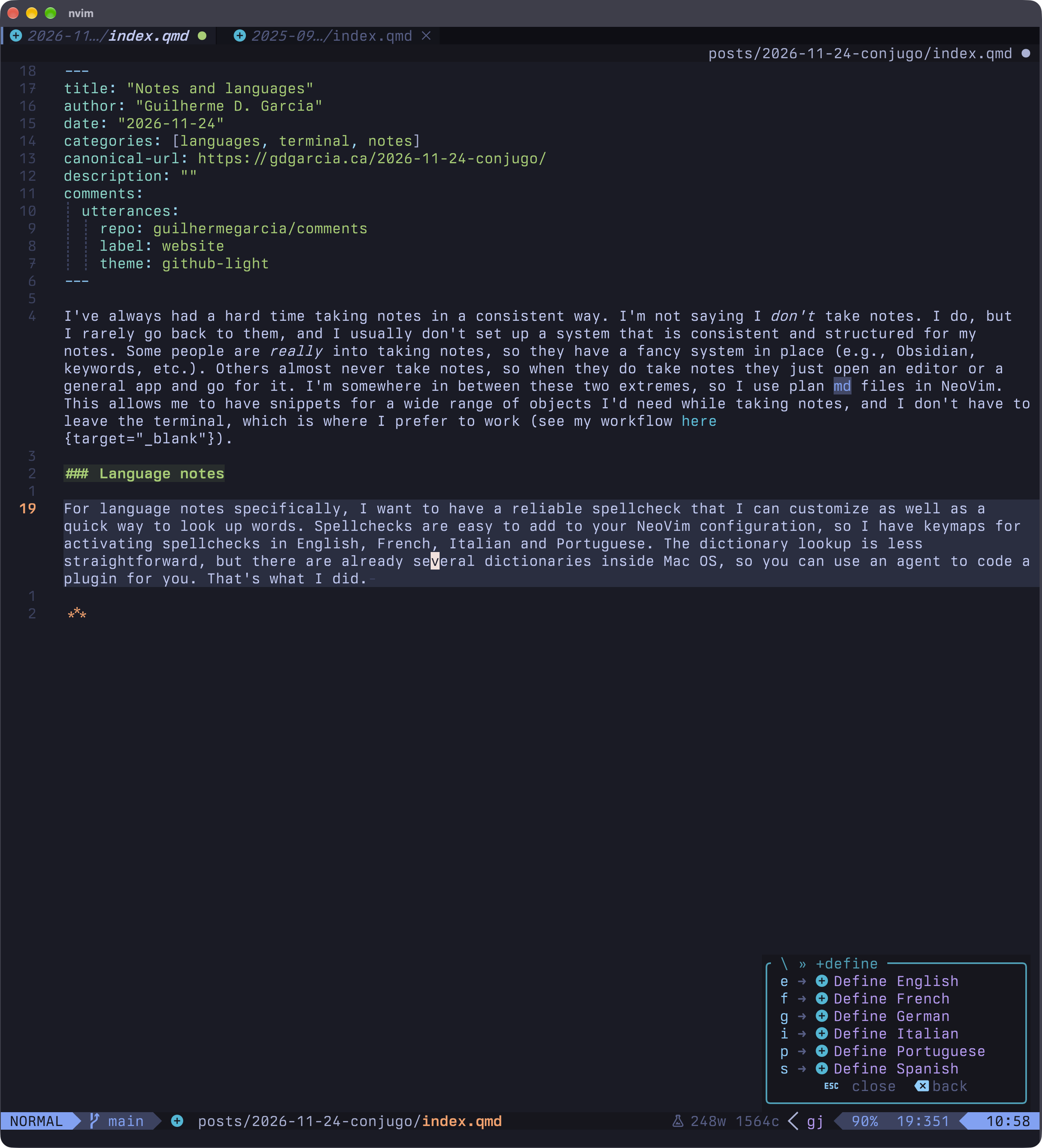
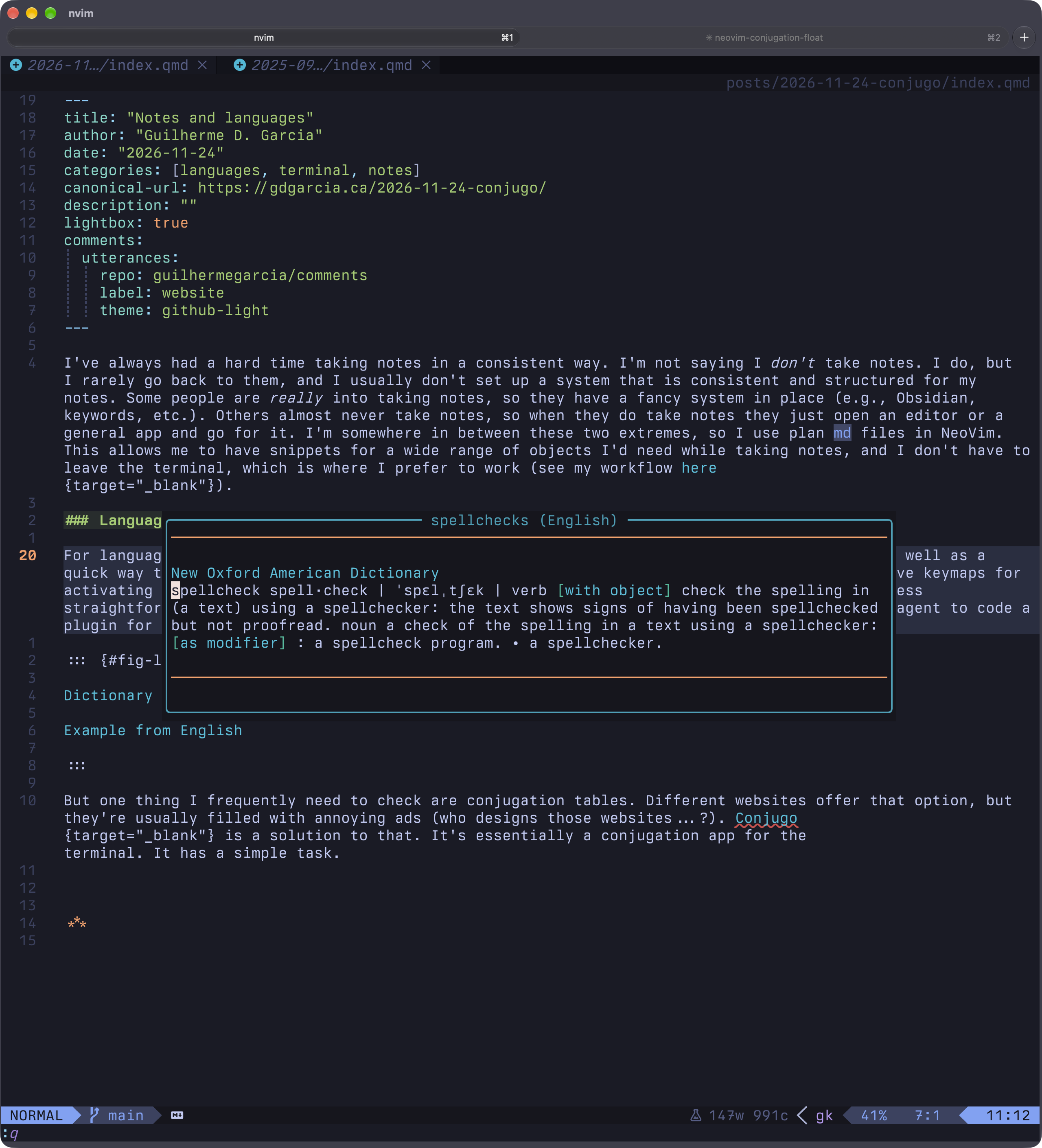
For language notes specifically, I want to have 1) a reliable spellcheck that I can customize as well as 2) a quick way to look up words. Spellchecks are easy to add to your NeoVim configuration, so I have keymaps for activating spellchecks in English, French, Italian and Portuguese. The dictionary lookup is less straightforward, but there are already several dictionaries inside Mac OS, so you can use an agent to code a plugin for you. That’s what I did, and it works quite well (see below). Note that if you have several English dictionaries activated/installed, all of their outputs will show. For example, I have English-French, English-Italian, etc. Thus, when I ask for the definition of a given English word, I have a comprehensive result. It’s visually clear, but it won’t be succinct depending on how many dictionaries you have.
Another feature I like to have is 3) a way to check conjugation tables. Different websites offer that option, but they’re usually filled with annoying ads (who designs those websites…?). Conjugo is a solution to that. It’s essentially a conjugation app for the terminal. It has a simple task. Currently, the app covers the languages I use the most: English, French, Italian, Portuguese and Spanish.
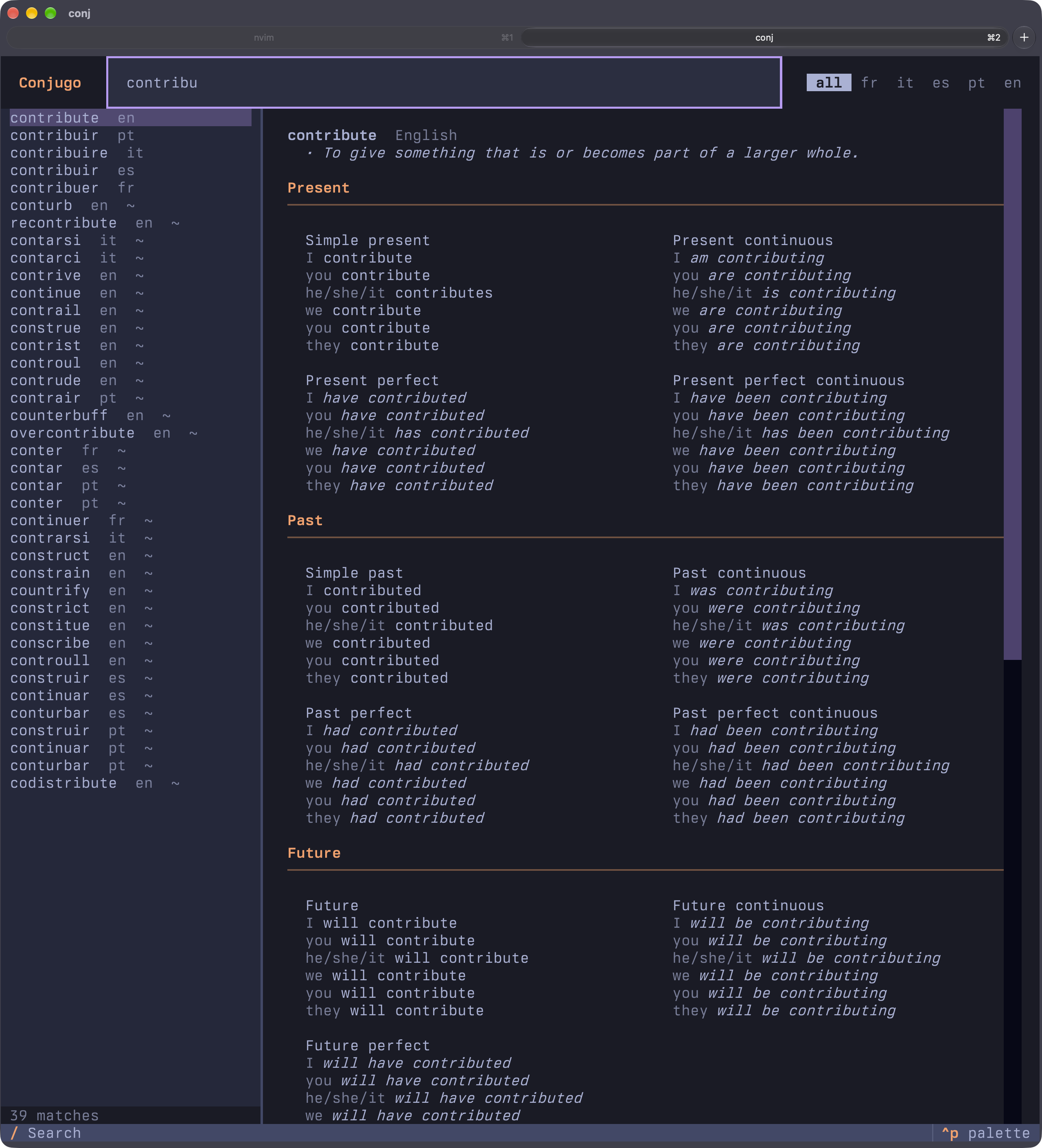
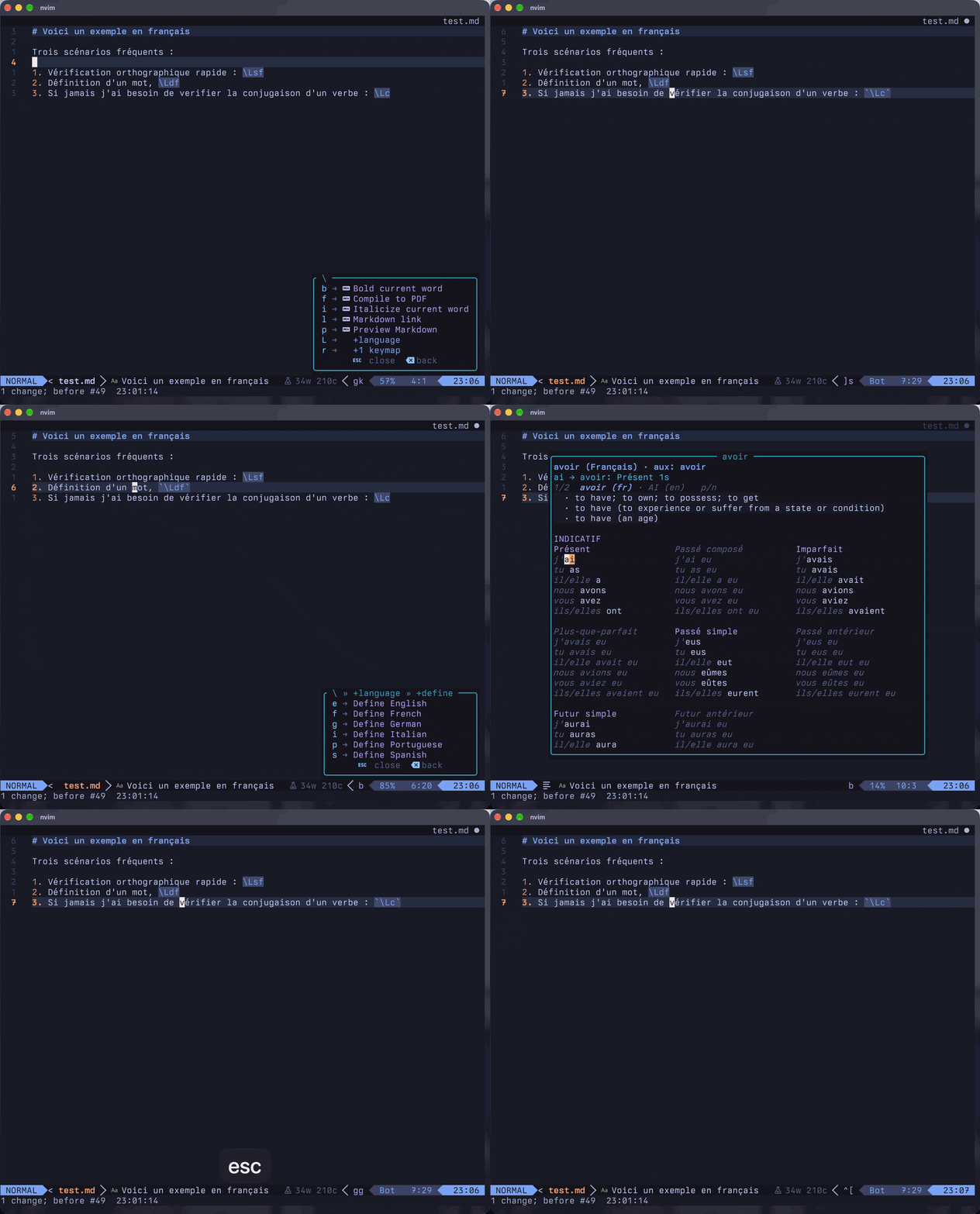
To use Conjugo directly from NeoVim, I then created a plugin that essentially takes me from verb under cursor to conjugation table (on a floating window where the current form of the verb is highlighted). Details on the plugin can also be found on the repository of Conjugo.
Here’s a quick demo of all three elements working together in a single document (in French for this example).
Copyright © Guilherme Duarte Garcia