Typst for linguists
What is it
In a nutshell, Typst is a language designed for typesetting academic and scientific documents. It’s still young, but it is very promising because it is:
- modern
- easy to learn
- intuitive (e.g., error messages that are actually useful)
- very light
- extremely fast
If you’ve used LaTeX, you will appreciate all five points above. I have used LaTeX for over a decade, and even though I really like it, it didn’t take me long to be convinced to switch to Typst. For example, suppose you want to create a simple document with some colourful tables, a figure, some references, nice headers and footers. In LaTeX, you would probably load natbib, graphicx, xcolor, colortbl, fancyhdr, booktabs… — these are packages I often use myself. In Typst, you would need exactly zero packages to accomplish the same task.
Where to start?
First, explore their website. Second, follow their tutorial with their own (online and free) editor — this is the most user-friendly way to get started because you don’t need to install anything. I also have this YouTube series (repo here), where I go over the basics and discuss some key aspects for linguists. If you decide to give it a go, you will probably want to work on it off line.
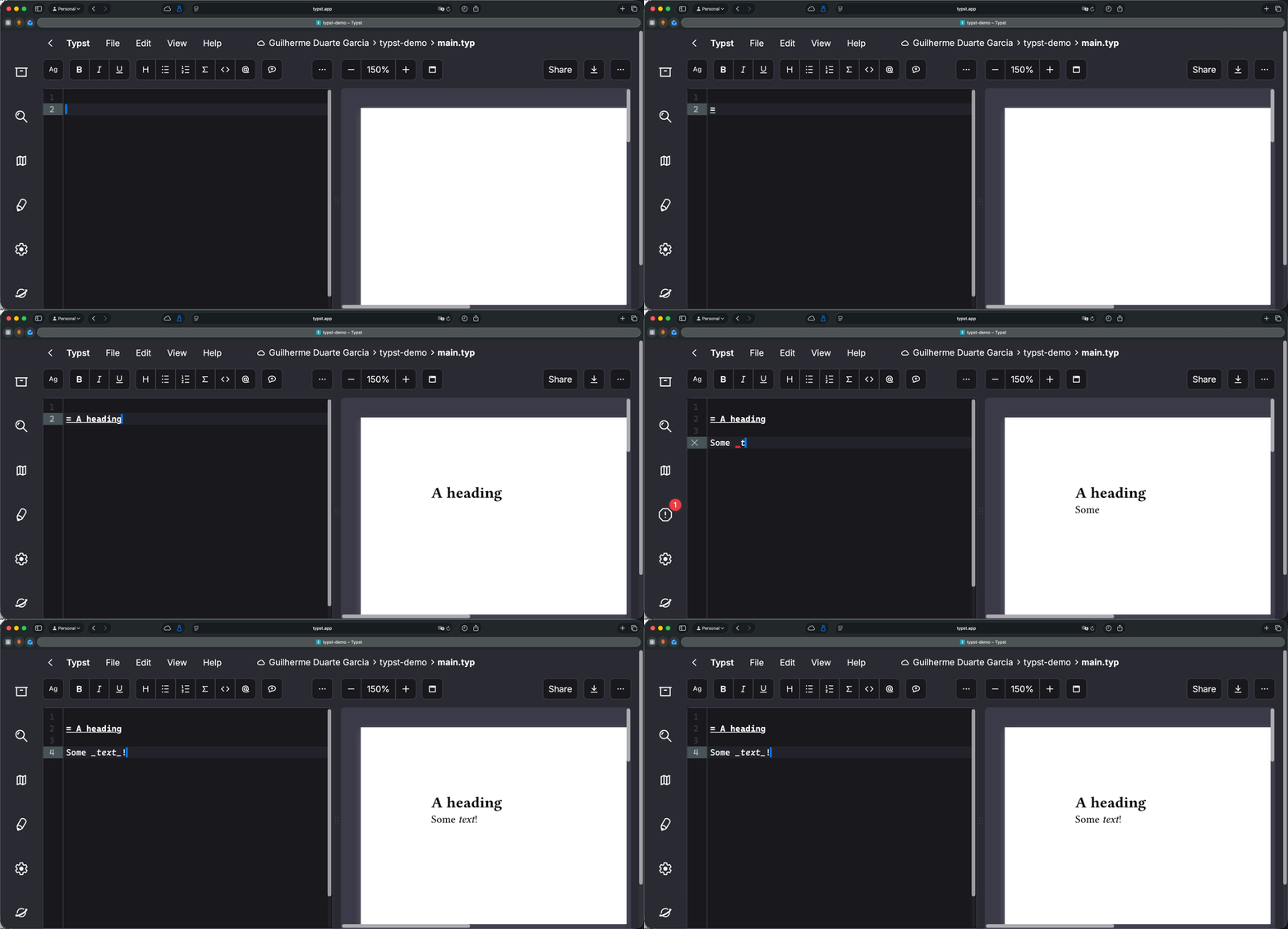
I would also strongly recommend one of these two options if you plan to use Typst:
- Use it with VS Code, Positron, etc. Simply install the Tinymist extension and you’re good to go
- Use Vim or NeoVim. Same thing: install the Tinymist plugin.
I would also recommend installing the Typst compiler if you enjoy working from the terminal. On a Mac, you can install it with Homebrew.
brew install typstInstalling the Typst CLI can be advantageous if you enjoy working from the terminal. You can easily create bash functions to automate tasks and compile files to PNG, for example. The main commands you will be using are typst preview and typst compile, but typst watch is equally useful, since it allows for continuous compilation on your browser.
Typst for linguists
Can Typst replace LaTeX if you’re a linguist? When I first wrote this post, in December 2025, my answer was “it depends”. Typst is young, and its packages don’t have the breadth or the maturity of what you find for LaTeX. Phonology was already in good shape. Syntax trees were covered too (arborly, lingotree and syntree, for example), but none of these packages was as comprehensive as tikz-qtree, so I told syntacticians they might have to wait a bit.
Since then, I have written two packages to close that gap: phonokit for phonology and phonetics, and synkit for syntax and semantics. Between them, they cover what I need in a linguistics document: IPA transcription, prosodic structure, autosegmental representations, OT and MaxEnt tableaux, syntax trees with movement arrows, interlinear glosses and numbered examples. That is the goal of both packages: you shouldn’t need anything else to typeset linguistics in Typst. In fact, I can now do with Typst much more in linguistics than what I did with LaTeX.
Both are on Typst Universe, so all you need is two lines at the top of your file (make sure you’re loading the latest version on Typst Universe). You can also clone both repos and load them locally. As I write this post, phonokit’s latest version is 0.6.1 in its official repo, but 0.6.0 on Typst Universe.
#import "@preview/phonokit:0.6.0": *
#import "@preview/synkit:0.1.0": *
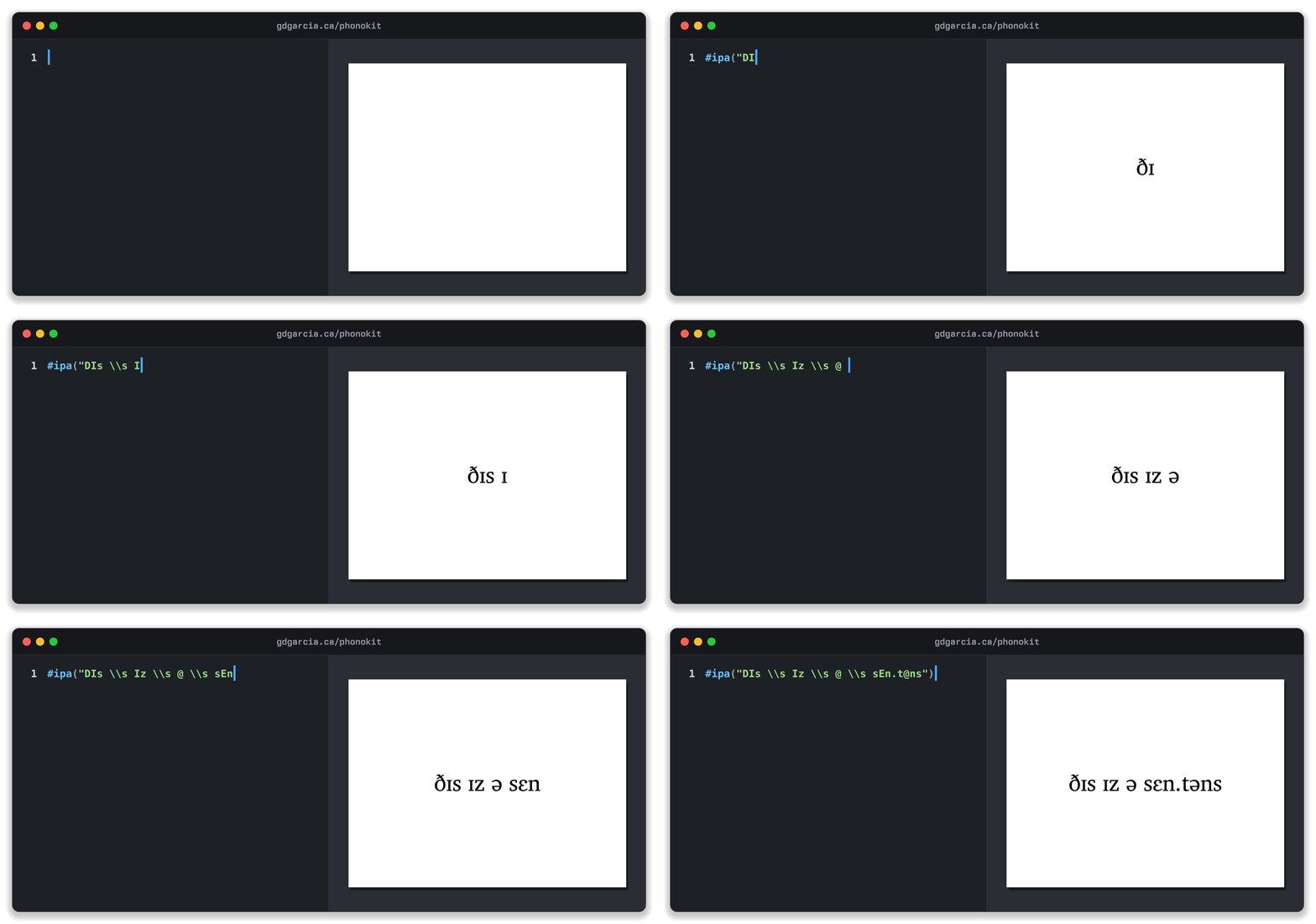
The animations below show the code on the left and the output on the right, updating as the code is typed. I left out the import lines to keep them short. There are other linguistics packages on Typst Universe too, and it’s worth browsing it if you need something specific.
Phonology: phonokit
My goal with phonokit is to do everything I need for phonology in Typst, although at this point it does more than what I need, thanks to people who have suggested a wide range of additional functions. The manual documents every function, and there is a shorter web version here. Here are five of them.
The first one is #ipa(). You type tipa-style shortcuts and get IPA symbols: D is ð, I is ɪ, @ is a schwa, and so on. You don’t need to hunt for special characters or switch keyboards, and if you already know tipa, there is nothing new to learn.
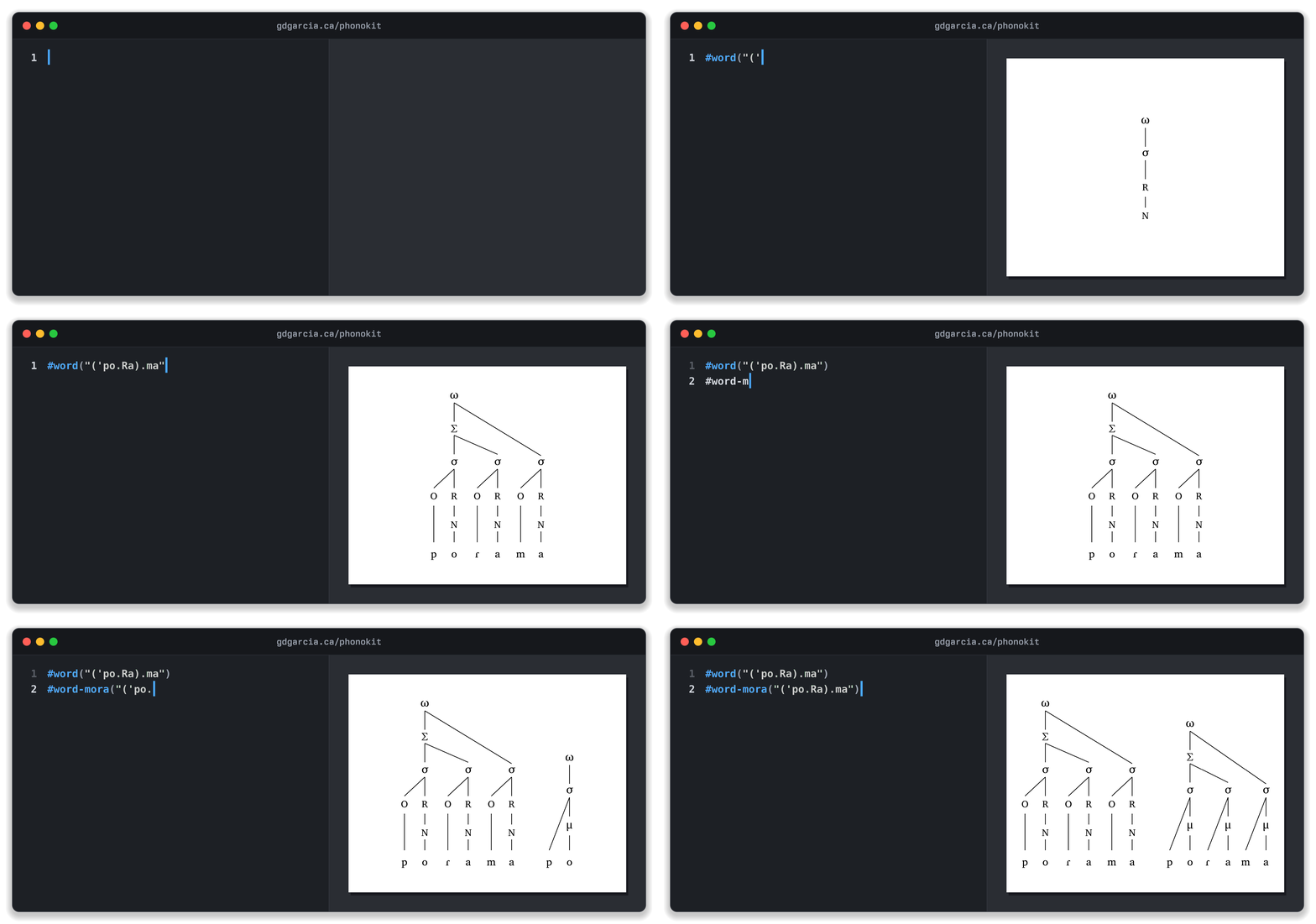
Prosodic structure takes a single string. In #word(), dots separate syllables, parentheses mark feet and an apostrophe marks stress. From that one string, the function draws the whole structure, from the prosodic word down to onsets, rhymes and nuclei. #syllable(), #foot() and their moraic versions work the same way: below, #word-mora() takes the same string and draws moras instead of onsets and rhymes. The function recognizes stress and adjusts dominance lines accordingly.
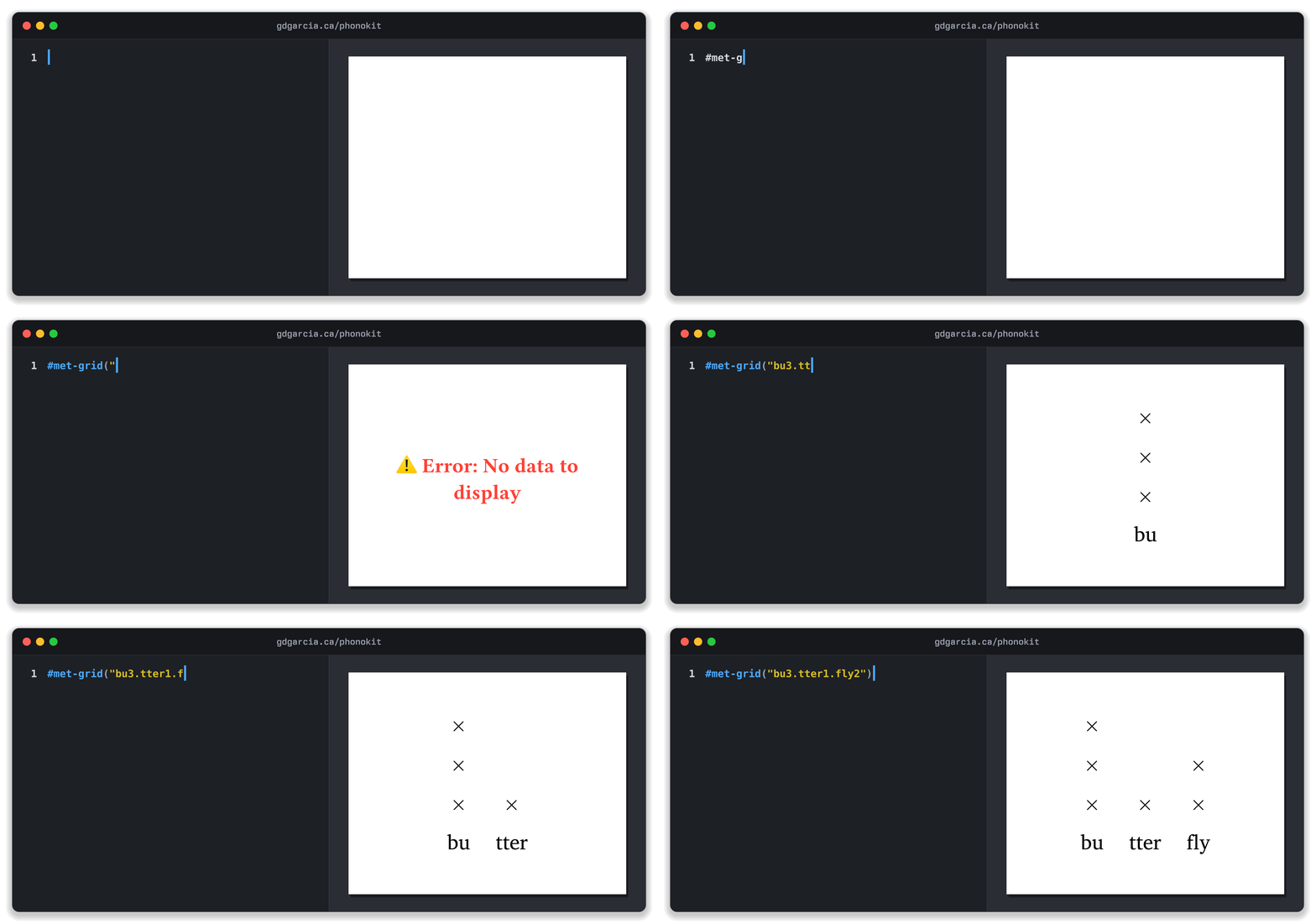
Metrical grids follow the same idea. You add a number after each syllable for its level of prominence, and #met-grid() builds the columns of x’s.
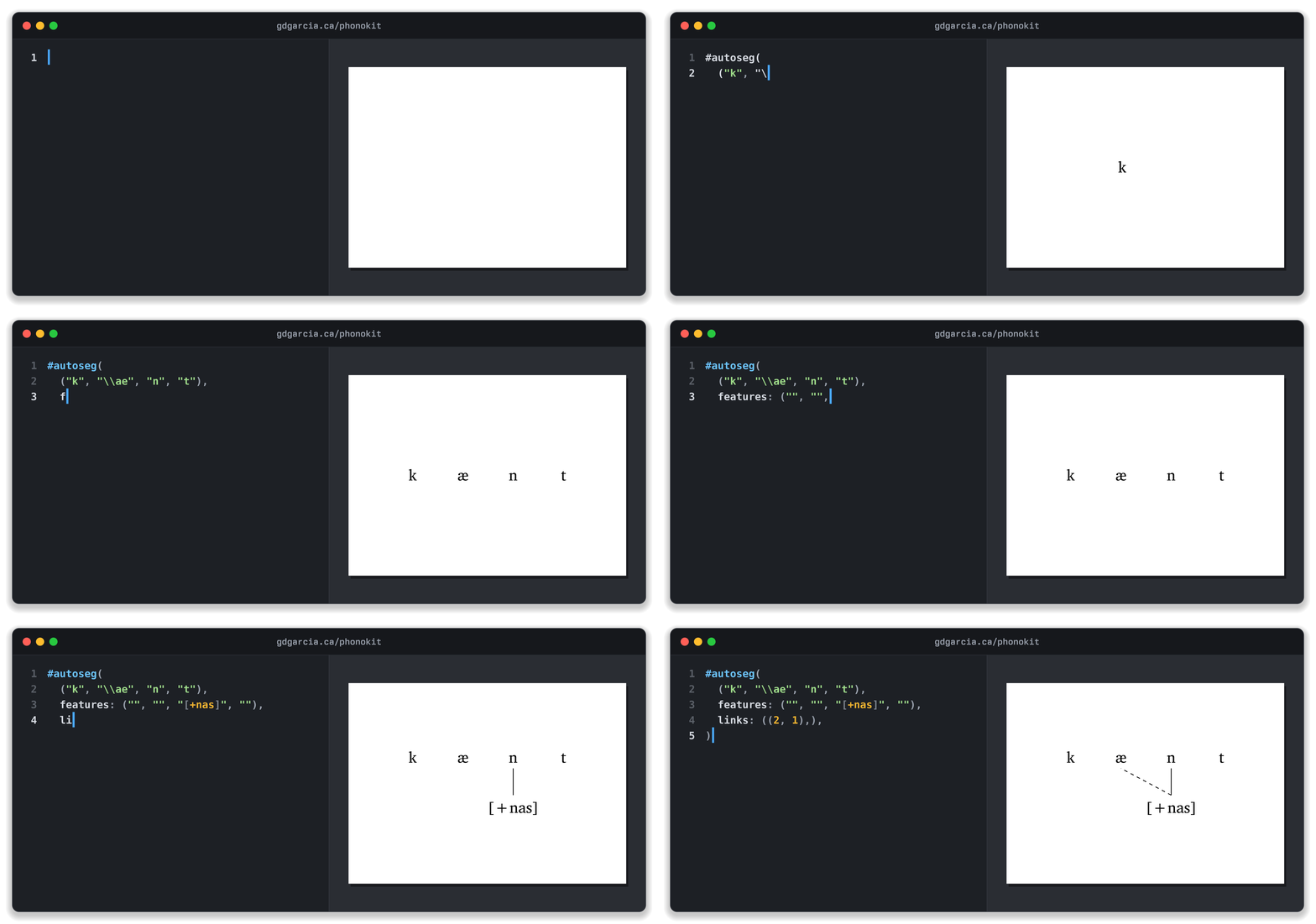
#autoseg() takes a list of segments and a list of features (or tones). Links are pairs of positions, counted from zero, so (2, 1) links the third feature to the second segment, drawn as a dashed line. The same function handles delinking, floating tones, contour tones and one-to-many links.
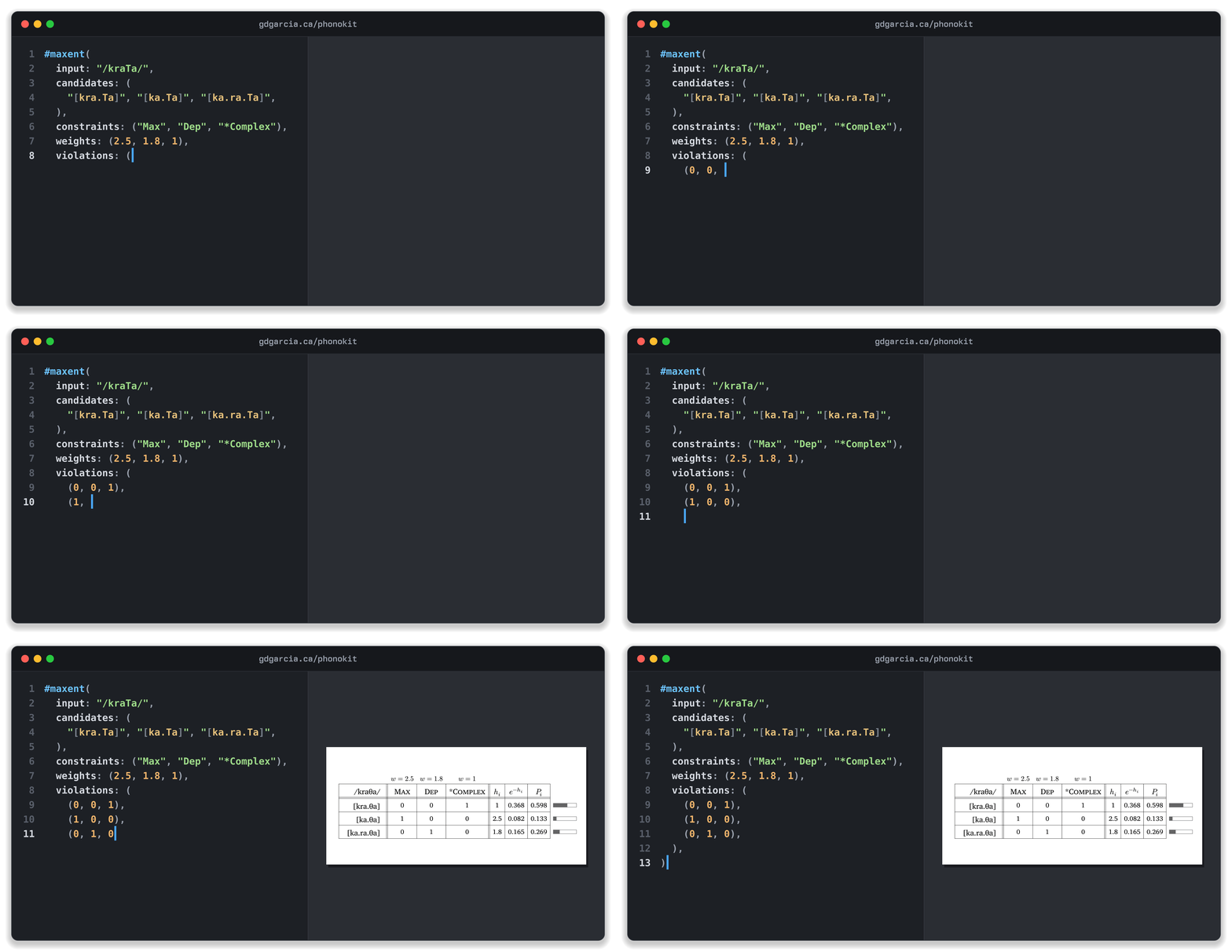
Finally, tableaux are also supported, from classic OT to Harmonic Grammar to MaxEnt. In an OT tableau, #tableau() adds the pointing hand next to the winner and shades the cells that no longer matter. MaxEnt tableaux go one step further: you list the candidates, constraints, violations and weights, and #maxent() computes each candidate’s harmony and probability for you, with bars showing the distribution.
There is a lot more in the package: vowel and consonant charts, feature matrices, feature geometry, ToBI labels, sonority profiles, and VOT and formant plots. See the manual for all of them.
Syntax: synkit
synkit draws syntax trees from labelled bracket notation, plus the other things a syntax paper needs. Its manual covers every option.
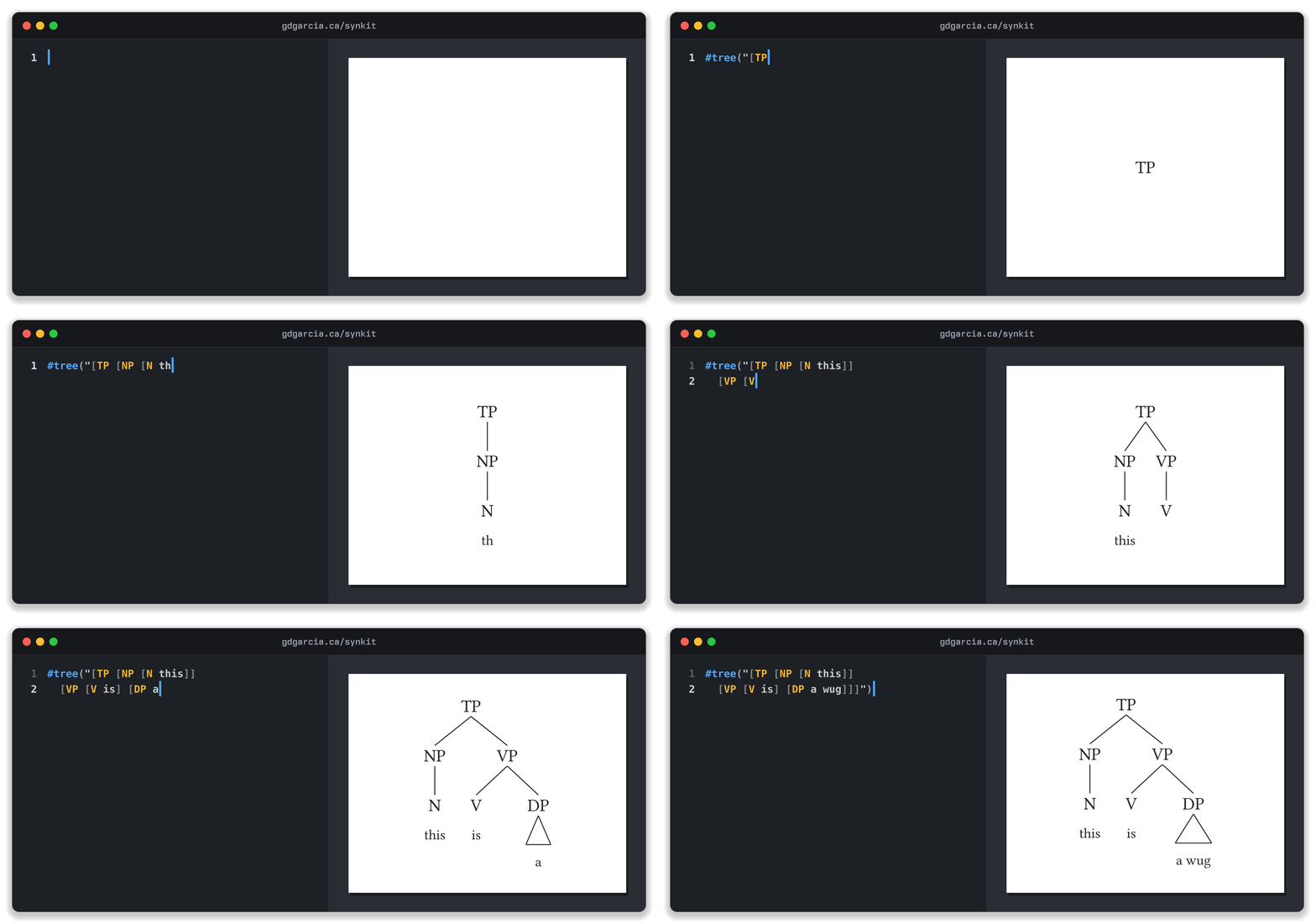
A tree is a single string. Spacing inside it doesn’t matter, so a missing space before ]] won’t cost you a compile error.
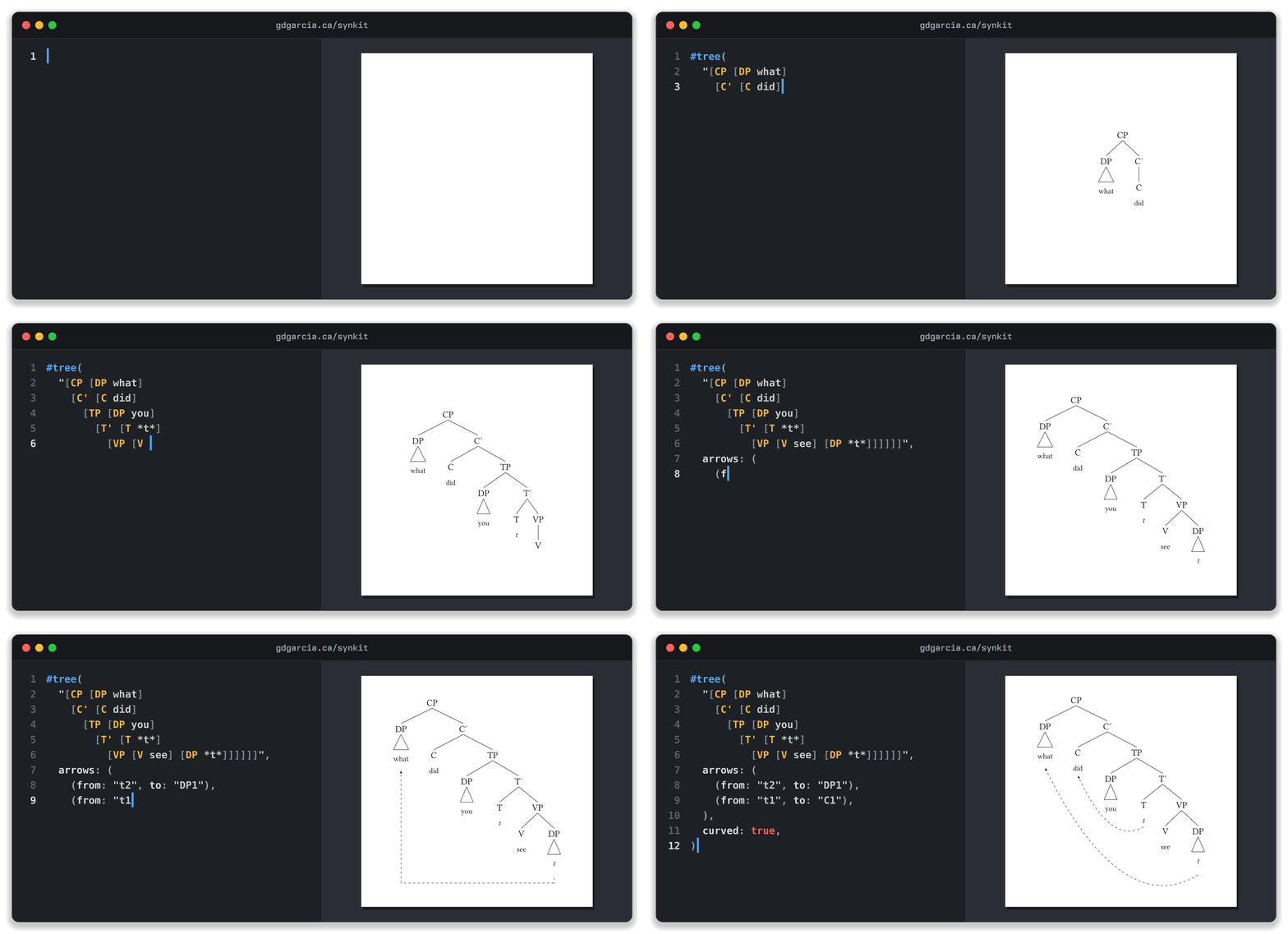
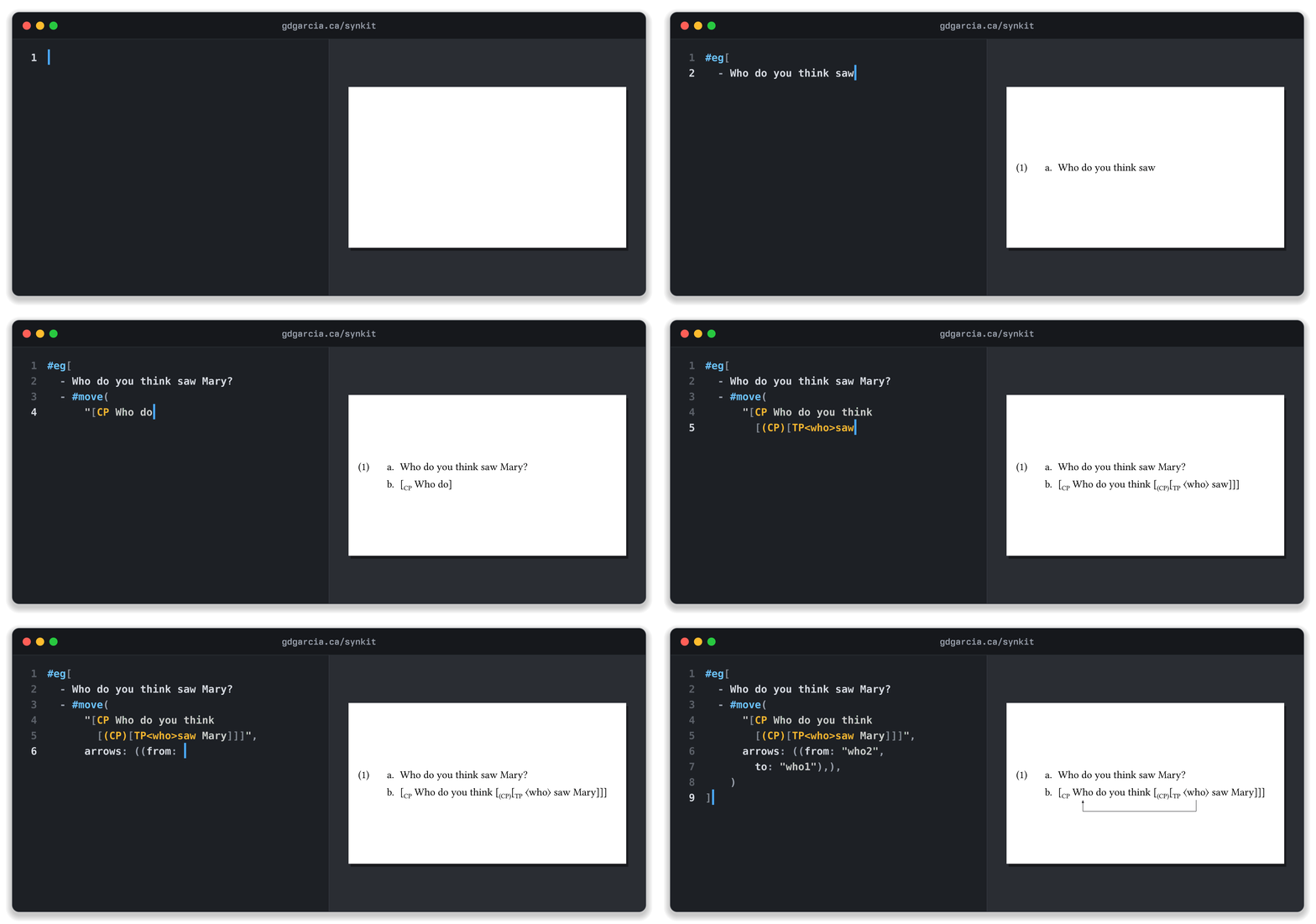
Movement arrows are declared separately from the tree. Every node gets a name automatically (the first DP is DP1, the second trace is t2, and so on), and an arrow simply goes from one name to another. If you’re not sure what a node is called, add show-refs: true and synkit prints each name next to its node.
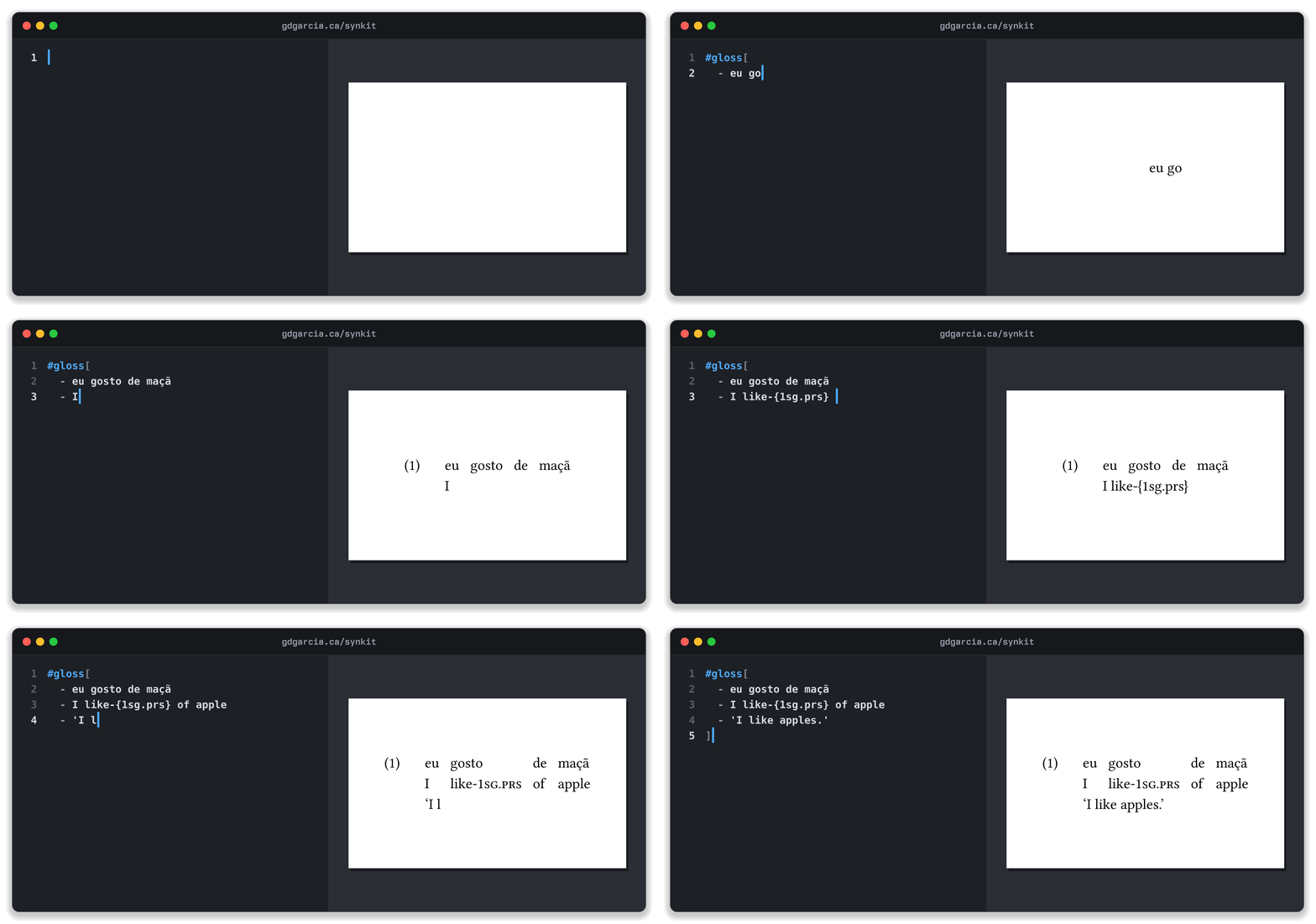
Glosses are written as a list: the original, the gloss and the translation. synkit aligns the words for you, and anything inside curly braces is set in small caps, which is what you want for labels like 1SG.PRS.
Numbered examples come from #eg(), and list items inside it become sub-examples. Glosses and examples share the same counter, so (1), (2), (3)… run through the document whichever function you use. Inside an example, #move() shows movement in running text: labelled brackets with subscripts and an arrow underneath.
synkit also draws several trees on one canvas with lines between equivalent nodes (#garden()), colours nodes and branches, adds annotations next to nodes, and draws Lewis-style systems of spheres for conditional semantics.
Is the output good enough?
Since it’s faster, lighter, more user-friendly and more modern, the question I had was whether Typst could match the quality of tex outputs. I believe it can. In December 2025, I said that syntacticians might have to wait for a complete switch, or keep LaTeX only for trees (say, with LaTeXit on a Mac). With synkit, I don’t think that’s the case anymore.
Since December 2025, I have used Typst for my CV, my slides (for teaching and conferences), and my writing in general. I haven’t experienced any downsides yet.
Common questions and concerns
- But most journals don’t accept it. True. But many journals in linguistics don’t accept
texfiles either. So this is hardly a new problem. Indeed, many journals by Cambridge University Press still usedocfiles. Of course, this will likely change as more people adopt the language. - I already have a comprehensive setup in
tex. I did too. With AI agents, it is obviously much faster to learn a new language and adapt our documents and templates. I think new adopters are usually more common than switchers. In other words, graduate students who would learn LaTeX would likely favor Typst if they knew about it. Iftexworks well for you, why change? - How would Typst improve my workflow? It would make your typesetting faster and “cleaner”. For example, in my slides, I have a “switch” to make solutions appear and disappear for in-class exercises. This works fine with LaTeX (I use Beamer), but it does require multiple lines of code, and it is a bit finicky at times. With Typst, the same task is accomplished in a much “cleaner” fashion. It always works, and it is very fast. The level of automation is also potentially much higher in Typst. In my phonokit package, the function
#maxent()calculates probabilities automatically, for example. - How will I deal with my references…? Typst also accepts
bibfiles, so that doesn’t really change. It does introduce a new system (yml), but you don’t have to use it. - Any caveats? Yes. Typst doesn’t work with non-local files. For example, if you have a
bibfile somewhere on your computer and you like to use absolute paths to it, you will need to create symlinks. It is also very picky aboutbibfiles, which may force you to fix any inconsistencies you may have in your library of references.
Copyright © Guilherme Duarte Garcia