Using Typst in Quarto
Quarto and Typst
If you use Quarto, chances are you often use the pdf or html formats, but you can replace pdf with typst and your document will be rendered using Typst instead of LaTeX.
---
title: "A Quarto document"
format: typst
---
Now, if you want to use a Typst package like phonokit, you can simply add the following line to your document, anywhere below the preamble above. The block syntax below makes it easy to load multiple packages at the same time.
```{=typst}
    #import "@preview/phonokit:0.5.2": *
```
That’s it. You can go ahead and use any functions in phonokit inside your Quarto document. Just remember to append {=typst} to every function. For example, the code below will generate the syllable pat.
`#syllable("pat")`{=typst}This is too repetitive…
You can easily automate this with snippets. In RStudio, you’d go to settings > Code > Edit Snippets (tiny button at the bottom). There doesn’t seem to be a dedicated option for Quarto snippets; the closes option is “Markdown” on the left. Then add this:
snippet typst_block
    ```{=typst}
    ${0}
    ```
snippet typst_inline
    `${0}`{=typst}
Now, every time you want to add a Typst function, simply type typ... and hit Shift + Tab to expand it. Depending on your RStudio version, this may not work, but have a go. Instead, I would strongly recommend switching to Positron (think of it as “the next RStudio”). The transition is very smooth (same company, same interface for the most part).
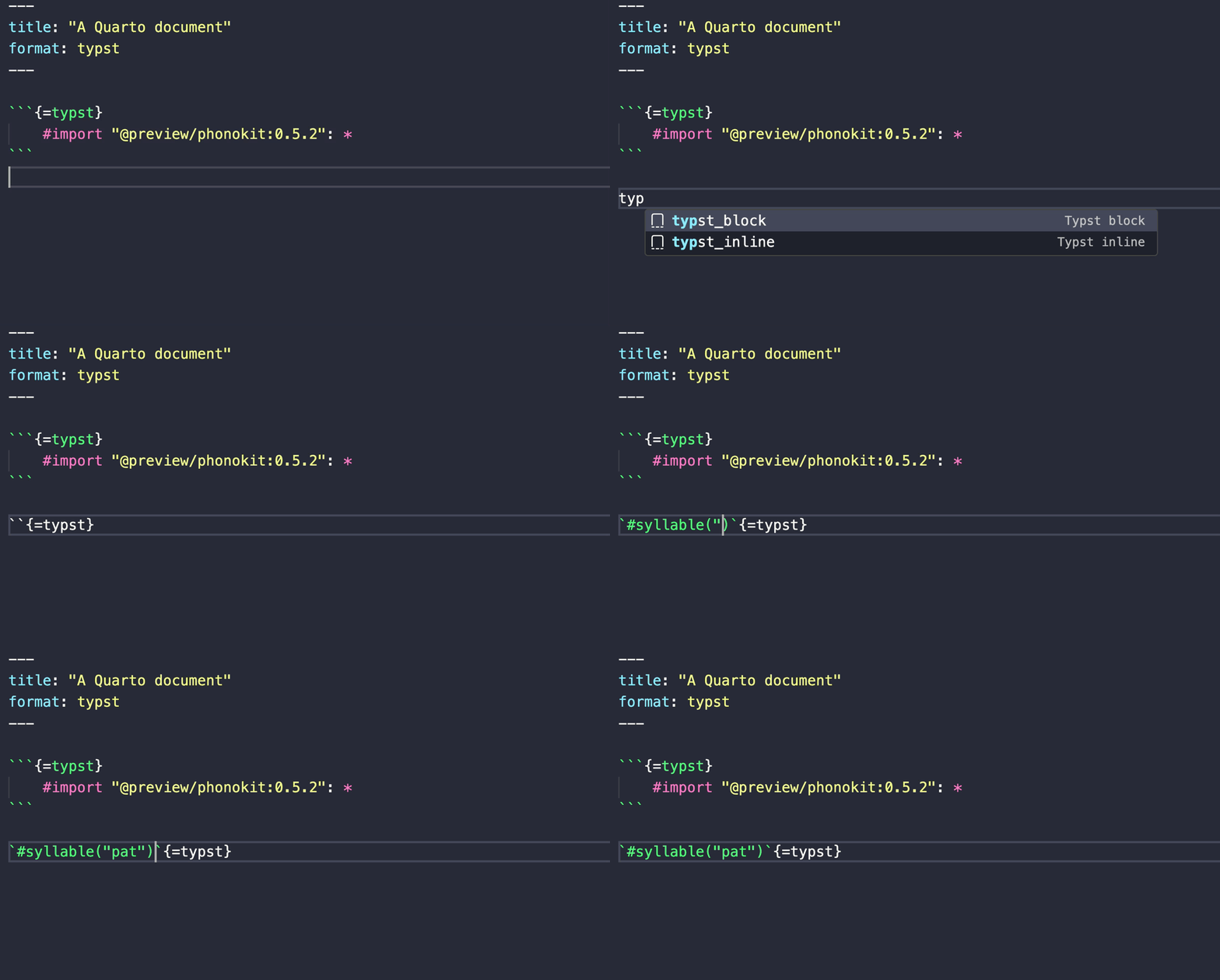
In Positron, hit Cmd + Shift + P and look for snippets (Configure snippets). Then type Quarto and open the json file. Paste these two snippets in there (you can delete everything in the file if you have never added snippets to it). Now, every time you need a Typst function, just start typing typ... and you’ll see the snippets.
{
    "Typst block": {
        "prefix": "typst_block",
        "body": [
            "```{=typst}",
            "$0",
            "```"
        ],
        "description": "Inserts a Typst function (block)"
    },

    "Typst inline": {
        "prefix": "typst_inline",
        "body": "`${0}`{=typst}",
        "description": "Inserts a Typst function (inline)"
    }
}
Here’s an example in Positron, where I trigger the snippet to use a phonokit function. Compilation is initiated with Cmd + Shift + k.
Copyright © Guilherme Duarte Garcia